mentat: one memory for all my AI tools
Every new AI chat starts from zero. So I put my context in a private git repo of linked notes, and served it to Claude and OpenCode from a small Cloudflare Worker.
Every new AI chat starts from zero. Who I am, what I'm working on, what I decided last week, how I like replies written. I was typing the same context again and again, in Claude, in OpenCode, on my phone and on my laptop.
I'm dyslexic, so typing a page of background is slow and tiring. I wanted to write it down once, and have every tool read it.
So I built mentat: a private repo of short linked notes, served to my AI tools over MCP. My real notes stay private, so I made a public copy with a made-up person in it: mentat-template.
(In Dune, a mentat is a person trained to be a human computer. It felt right.)
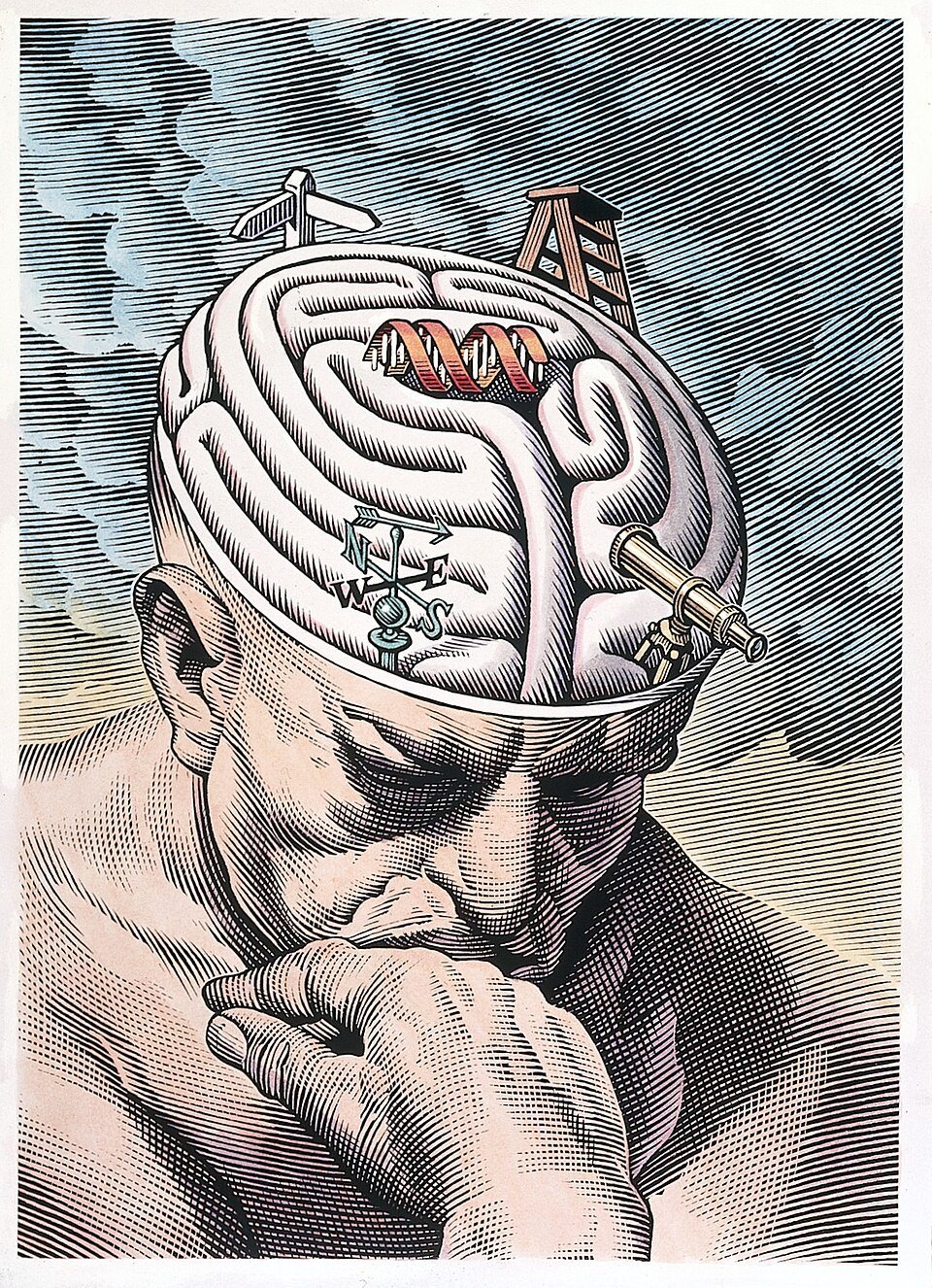
Image: Bill Sanderson, 1997, Wellcome Collection, via Wikimedia Commons, CC BY 4.0.
Notes, not a database
It's just markdown in a git repo:
me.md: who I am, how I work, and how I want replies written.areas/: ongoing parts of life, like a job hunt or a home project.projects/: things I build.people/: who someone is and how I know them.logs/: one file a month, one dated line per thing that happened.
Notes link to each other with [[wiki links]]. The links are the structure. I
can open the folder in Obsidian, edit it in any editor, and read it in any diff.
CI builds an index and a link graph on every push.
Editing it myself, in Obsidian
The AI tools aren't the only way in. On my Mac the repo is just a folder, and I open it in Obsidian as a vault:
- Open folder as vault and pick the repo. Obsidian reads the markdown as it is. Nothing to import.
- Turn on Use [[Wikilinks]] in the settings, so links match the ones the AI tools write.
- The graph view shows the same map, live, as I type.
- The community Git plugin commits and pushes on a timer, so my edits reach the AI tools a minute later, after CI redeploys.
- I read long notes with text-to-speech: select the text and let the Mac read it out. Short notes and bullets make that much easier.
Pull before you start editing. If a chat's pull request merged while you were away, you want it in your copy first.
How the AI tools reach it
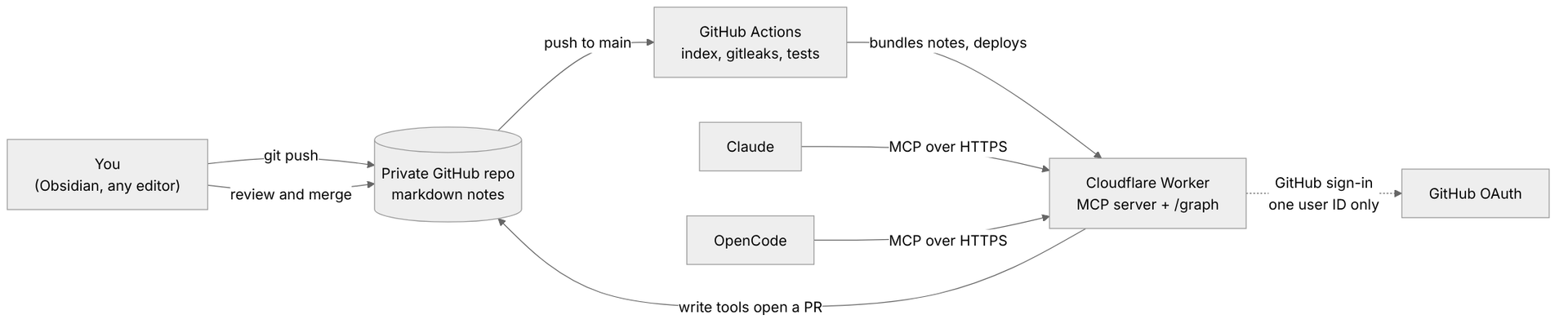
MCP is a standard way for AI tools to call outside tools. A small Cloudflare Worker serves the notes as an MCP server, so Claude and OpenCode can call it from any device:
read_note       one note in full
search_notes    keyword search with snippets
list_notes      filter by type, tag or status
related_notes   follow the links both ways
latest_log      this month's log
On every push to main, CI bundles the notes into the Worker and redeploys it.
No database, nothing to keep in sync.
Only me
These notes are my life admin, so the server has one rule: only I get in.
- Sign-in is GitHub OAuth. The Worker checks my numeric GitHub user ID, not my login. A login can be renamed and then claimed by someone else. An ID never changes.
- The Worker only runs on my own subdomain. The default
workers.devaddress is turned off. - OAuth tokens are stored hashed in Workers KV.
- The repo is private, and CI runs gitleaks and a private-data check on every push.
Letting chats write, safely
Reading was the easy part. The useful part is when a chat updates the notes for me: "ordered the new desk", "Jordan replied".
But I don't want a chat writing straight into the notes every other chat trusts. A web page or an email could trick a chat into writing something misleading, and then every chat after that would read it as fact.
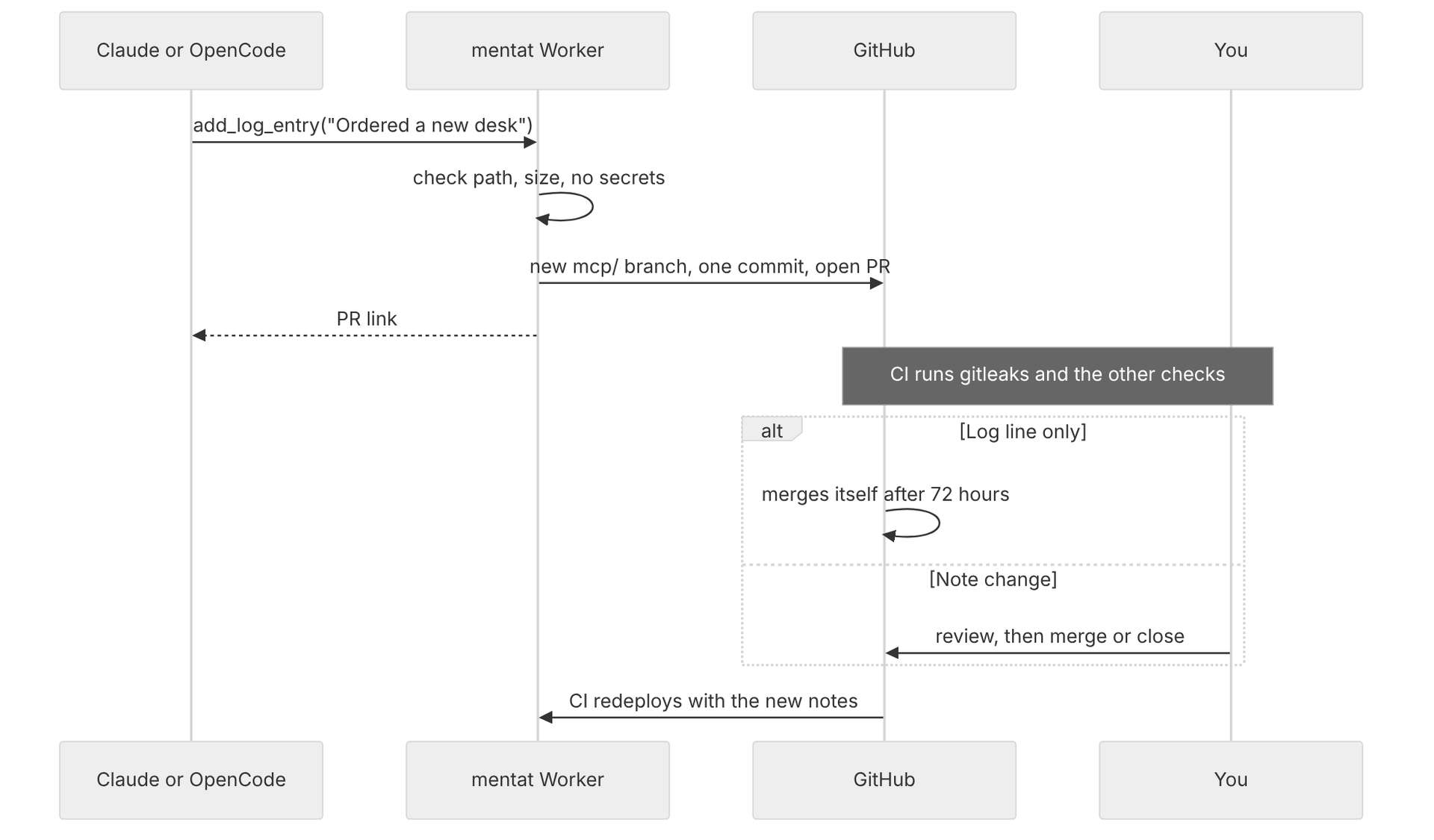
So the write tools only ever open a pull request:
add_log_entryadds one dated line to this month's log.propose_note_changecreates or updates one note.- Before anything leaves the Worker, it checks the path (never
me.md, code or CI), the size, and that the text doesn't look like a token, key, IBAN or card number.
Log lines are short, dated and easy to spot, so a log PR merges itself once it has been quiet for 72 hours. New or changed notes always wait for me.
Seeing it
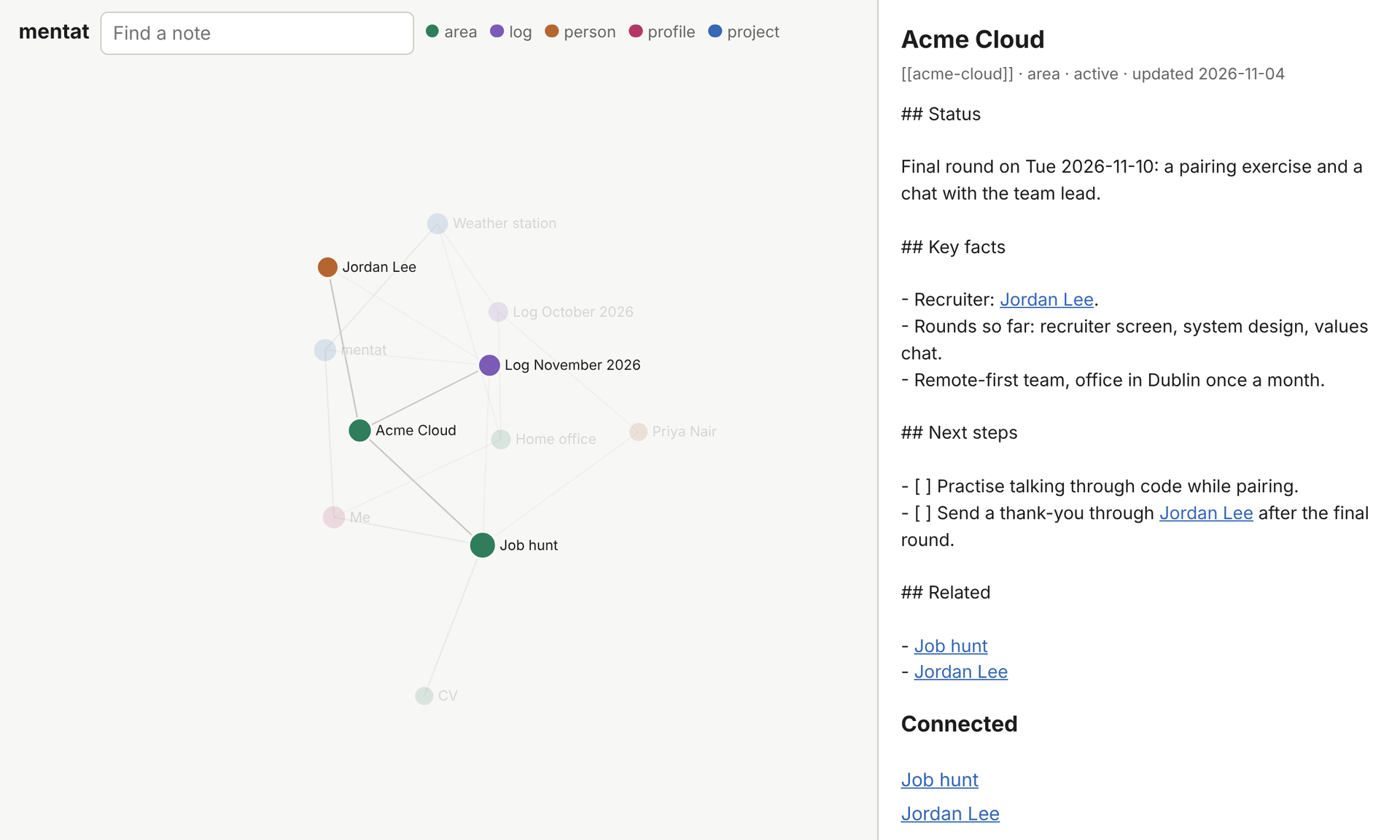
The map at the top of this post is a page on the same Worker, /graph, behind
the same GitHub sign-in. Each note is a dot, each link is a line, and clicking a
dot opens the note. It's a small hand-written force layout with no external
scripts, so the page can run under a strict content security policy.
What broke
Most of it worked first time. These didn't:
- A test that knew what month it was. It checked the latest log was October. Then November's log arrived and CI went red. Now it checks the newest log, whatever month that is.
- Error 1101. A sign-in request the OAuth library didn't like threw an exception, and Cloudflare showed a crash page. Now the Worker catches it, logs why, and sends a proper OAuth error back.
- Two OAuth clients, easy to mix up. The Worker is a client of GitHub, and Claude is a client of the Worker. I pasted the GitHub app's ID into Claude's connector form. Claude has its own published identity, so the answer was to leave those boxes empty.
- "Illegal invocation". I stored
fetchas a property and called it as a method. Workers doesn't allow that. Wrapping it in an arrow function fixed it. - GitHub wants the exact callback URL. I assumed a path under the registered callback would work for the map's sign-in. It didn't. The map now shares the same callback, and the Worker tells the two sign-ins apart.
- An auto-merge rule that never fired. It allowed log PRs with no deleted
lines. But every log entry also bumps the
updated:date, which counts as a deletion. Testing the rule against real pull requests caught it.
Try it
There's a live demo with the made-up notes, read-only and with no sign-in:
- Open the map at mentat-demo.idk.ie/graph.
- Or add
https://mentat-demo.idk.ie/mcpto Claude as a custom connector, and ask "What is Robin working on?"
To make your own, click Use this template on
mentat-template, and make your
copy private. Replace me.md and the demo notes with your own, then follow
docs/mcp.md to deploy the Worker and connect Claude or OpenCode.
Start small. A me.md and a few notes about what you're working on is enough to
stop explaining yourself to every new chat.